
Basketball Legends Roblox How to Pass: Controls and Distribution Guide
Passing in Basketball Legends on Roblox requires holding down the keyboard number key that matches your teammate's overhead player number. Once held, the game automatically targets and delivers the ball directly across the court to that specific partner.
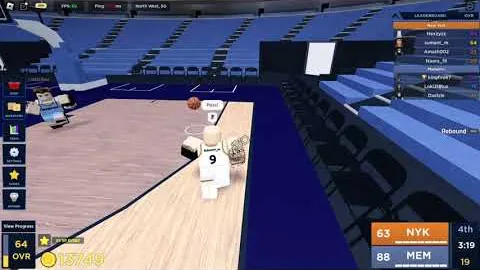
Passing in Basketball Legends on Roblox requires holding down the keyboard number key that matches your teammate's overhead player number. Once held, the game automatically targets and delivers the ball directly across the court to that specific partner.
Number Key Passing System
Passing uses keyboard number keys rather than directional mouse aiming. Every player on your team has an assigned number displayed above their character model during play. Holding the ball activates these indicators across the court.
To send a pass, press and hold the number key that corresponds to the intended target on your squad. Pressing key 1 delivers the basketball directly to teammate 1, while holding key 2 targets teammate 2. Releasing or tapping without holding will not execute the pass cleanly.
The mechanic locks on to the selected target, allowing passes to travel full-court distances with straight-line trajectory. Keep keyboard positioning in mind alongside other core PC controls, where the R key executes ball steals and the F key performs horizontal block attempts against opposing shooters.
Court Scenarios and Distribution Decisions
Ball handlers must read defensive spacing before committing to an inbound or fast break distribution. The high-speed passing mechanic enables rapid transition scoring, but contested passing lanes can still result in turnovers.
| Distribution Play | Court Scenario | Operational Requirement |
|---|---|---|
| Full-Court Outlet | Teammate cherry-picking near the opposing basket after a defensive rebound | Clear straight-line lane avoiding standing defenders |
| Perimeter Kickout | Multiple defenders collapse into the paint against a driving ball handler | Stationary teammate set to release an open three pointer |
| Interior Lob | Cutter sprinting toward the rim against a retreating defender | Player profile reaching 60 OVR or possessing the Lob unlock |
Full-court outlet passes reward alert floor spacing. If opposing defenders push too deep on offense, an immediate outlet to an uncontested cherry-picker near the opposing hoop creates immediate two-point layups or dunks before the defense resets.
Lob Pass Requirements
Standard ground and chest passes unlock immediately at level one, but high-arching lob passes require specific account progression.
The ability to throw lobs naturally unlocks once your player profile reaches an overall rating of 60 OVR. InfinitySports also offers the Lob [UNLOCK] pass for 449 Robux, which unlocks the pass immediately regardless of current rating. Similar mechanical upgrades appear throughout the store list of gamepasses, alongside Eurostep at 70 OVR and Post moves at 50 OVR.
Lobs let passing players deliver alley-oop setups over the heads of interior rim protectors, bypassing crowded paint areas where ground passes might clip into defender hitboxes.
Assist Rewards and Progression
Distributing the ball yields direct performance bonuses for your character throughout standard matches.
Completing passes that directly lead to baskets awards assist credit and player experience points. These assist XP bonuses accelerate leveling within the seasonal pass, displaying purple level-up alerts as tiers complete. Accumulating 100 total assists over your career unlocks the Helping Hand badge, featured among the collectible achievements on the game's public badges roster.
Consistent ball movement prevents individual offensive possessions from running down the shot clock, keeping floor spacing open during high-paced 5v5 runs.
Next step
Three Pointer Shooting
Review release timing, perimeter contest reduction, and dribble spacing techniques to hit consistent three pointers in Basketball Legends.